

On this page
Two labels decide most of what happens after you place an order on an SMM panel: refill and non-drop. They look similar in a service name, but they solve different problems. This guide explains what each one means, how refill periods work on SMM-PANEL.NET, and how to choose the right service for the account you are growing.
Why followers and likes can drop
Social networks regularly clean up accounts they consider inactive or low quality. When that happens, part of a delivered order can disappear from the counter days or weeks later. This is called a drop. How much a service drops depends on the source accounts, the platform and the period. No provider can promise that a platform will never remove anything, so the useful question is not "will it drop?" but "what happens if it does?".
What "refill" means
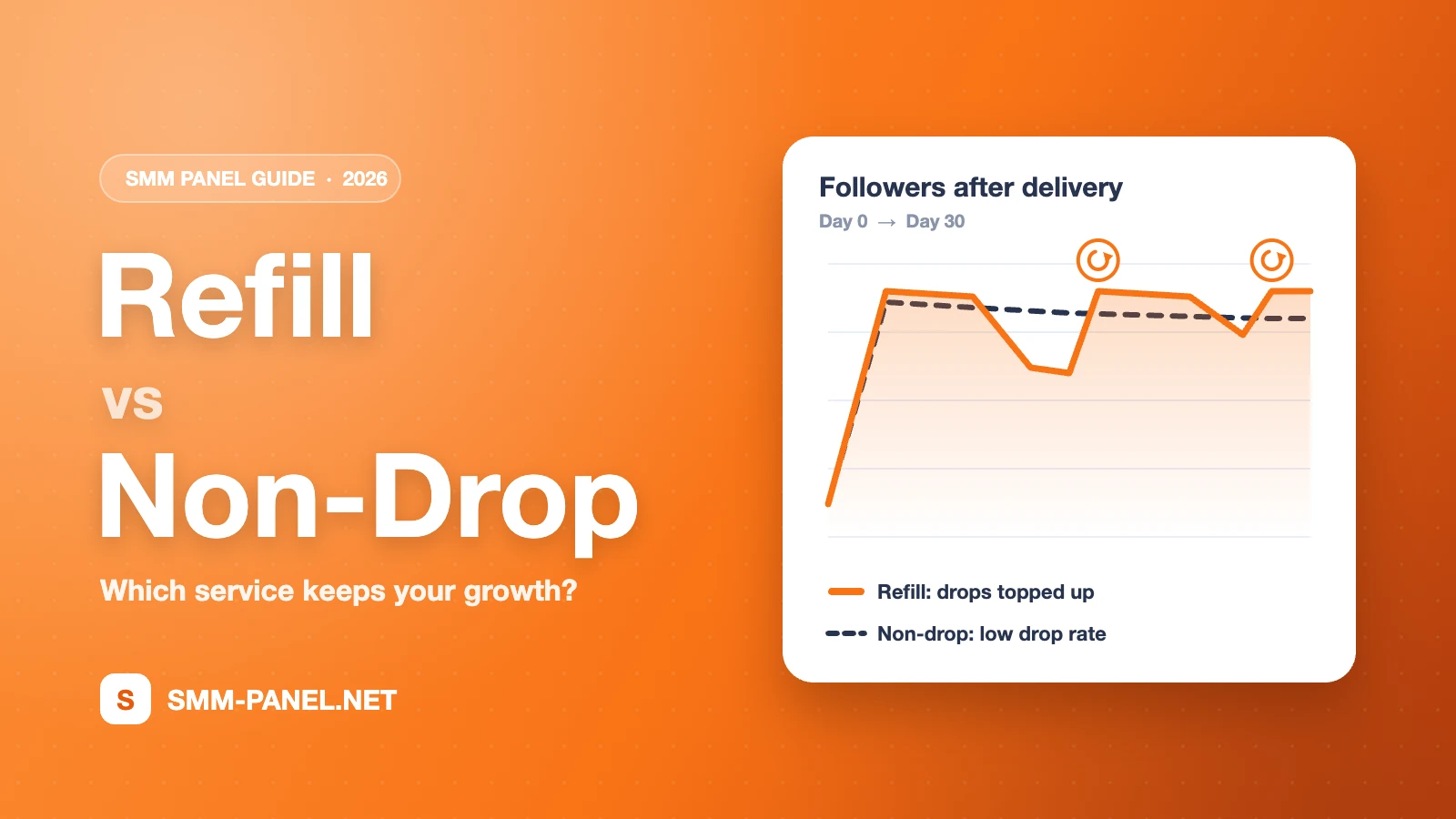
A refill service comes with a stated refill period, for example 30, 60, 90 or 365 days, or lifetime. If the count drops below the delivered amount within that period, you can ask for a refill and the missing part is sent again. The period is written in the service name and description, so you know it before you order.
- 30-day refill: a good fit for campaigns and short-term boosts.
- 60 and 90-day refill: a balance between price and protection for growing accounts.
- 365-day or lifetime refill: for main brand accounts where the number needs to stay stable.
Refill covers drops in the count. It does not cover changes you make yourself, such as switching the profile to private, changing the username or deleting the post.
What "non-drop" means
A non-drop service uses sources that historically drop very little. It is a statement about quality, not a guarantee period. Some non-drop services also have a refill period; when they do, both labels appear in the name. If a service says non-drop but no refill, the drop rate is expected to be low, but there is no refill to request if it happens.
Refill vs non-drop at a glance
| Refill | Non-drop | |
|---|---|---|
| What it promises | Missing amount is sent again within the period | Low expected drop rate |
| Where you see it | "30 Days Refill", "Lifetime Refill" in the name | "Non Drop" in the name |
| Best for | Accounts you will keep for months | Quick results with minimal follow-up |
| Price | Usually higher as the period gets longer | Varies by source quality |
How to request a refill on SMM-PANEL.NET
- Wait until the order status is Completed.
- Check that you are still inside the refill period written on the service.
- Open a support ticket and write the order ID followed by refill, for example 29000 refill.
- The automatic system processes refill, speed-up and cancel requests 24/7. Live support answers payment, technical and API questions every day from 10:00 to 22:00 (UTC+3).
Some services also show a refill button on the Orders page. API users can request a refill with the refill action of the standard SMM panel API.
Which one should you choose?
- Main brand or personal account: choose a service with a long refill period, ideally also marked non-drop.
- Campaign or launch: a 30-day refill service is usually enough and keeps the cost down.
- Testing a new service: start with a small quantity of a cheap service, check the speed and the result, then scale up.
- Reselling through the API: pass the refill period on to your customers clearly so they know what is covered.
Five mistakes that cost refills
- Ordering the same link twice before the first order is completed. Counts mix and refills become impossible to calculate.
- Setting the profile to private while the order or refill is running.
- Changing the username or link after ordering.
- Requesting a refill after the period has ended.
- Choosing "no refill" services for accounts you plan to keep for a long time.
Check speed before you order
Every service on the services page shows its price per 1,000, minimum and maximum quantity and average time. The Service Speed page publishes median start and completion times from real orders, so you can compare services before you spend.
Frequently asked questions
Does a refill start automatically?
No. You request it with the order ID and the word refill on the support page or with the refill button, and the system processes it automatically.
Can I cancel an order with a refill period?
Only if the service has a cancel option. Services with a cancel button can be cancelled from the Orders page or with "order ID cancel" on the support page. Unused balance returns to your account.
Is non-drop the same as lifetime refill?
No. Non-drop describes the expected quality. Lifetime refill describes what we do if the count drops. A service can have one, both or neither, and the service name always says which.
Ready to compare services? Open the full price list, filter by refill or non-drop and pick the one that fits your account.
Ready to put this into practice?
Thousands of services from $0.01 per 1K. Free account, no card required.